By Tojo8 min read
The best blazer mockup is a layered PSD with a Smart Object for the fabric, a lapel and pocket style that matches your garment, and a resolution that fits where the image will be used. Five ShirtsMockup files cover most cases. Pick the PSD Blazer Mockup for everyday notch lapel blazers, the Custom Blazer Mockup when pocket style matters, the Peak Lapel Blazer Mockup PSD for screen-sized fabric previews, the Shawl Lapel Blazer Mockup for formal looks, and the Double Breasted Jacket Mockup for a double-breasted cut.
Searching for a blazer mockup template PSD gets messy fast. Results mix real mockups with sewing patterns, vector tech-pack flats and stock photos. Flat vector drawings suit factory spec sheets, but they will not show how a plaid wraps around a lapel. A layered PSD will, and that is what you need to sell or present a design without a photo shoot.
Below, each file gets the same three checks: what it shows, who it suits, and its specs and price. ShirtsMockup focuses on formal menswear mockups, so all five come from one shop. I also point out where each one falls short, so you can choose without opening ten more tabs.
1. PSD Blazer Mockup for classic notch lapel blazers
What it shows
The PSD Blazer Mockup shows a classic two-button notch lapel blazer with side flap pockets, from the front and the back. It is the safest everyday pick, because the cut matches the blazers most brands and tailors actually sell.
Fabric changes happen in a Photoshop Smart Object. Double-click it, drop in your texture or repeatable pattern, and save. The folds, shadows and stitching stay in place, so a plaid, a stripe or a solid looks like real cloth rather than a flat overlay. A Liquify filter map handles the wrapping.
A two-button notch lapel blazer with front and back views covers most business and everyday designs.
Who it suits
Choose it if you design or sell everyday and business blazers and need both front and back images for an online store. It also works for tailors who want to show clients fabric options before any cloth is cut.
Skip it if your garment has a different lapel. This file is built around a notch lapel, so a peak or shawl design needs one of the other files below.
Specs and price
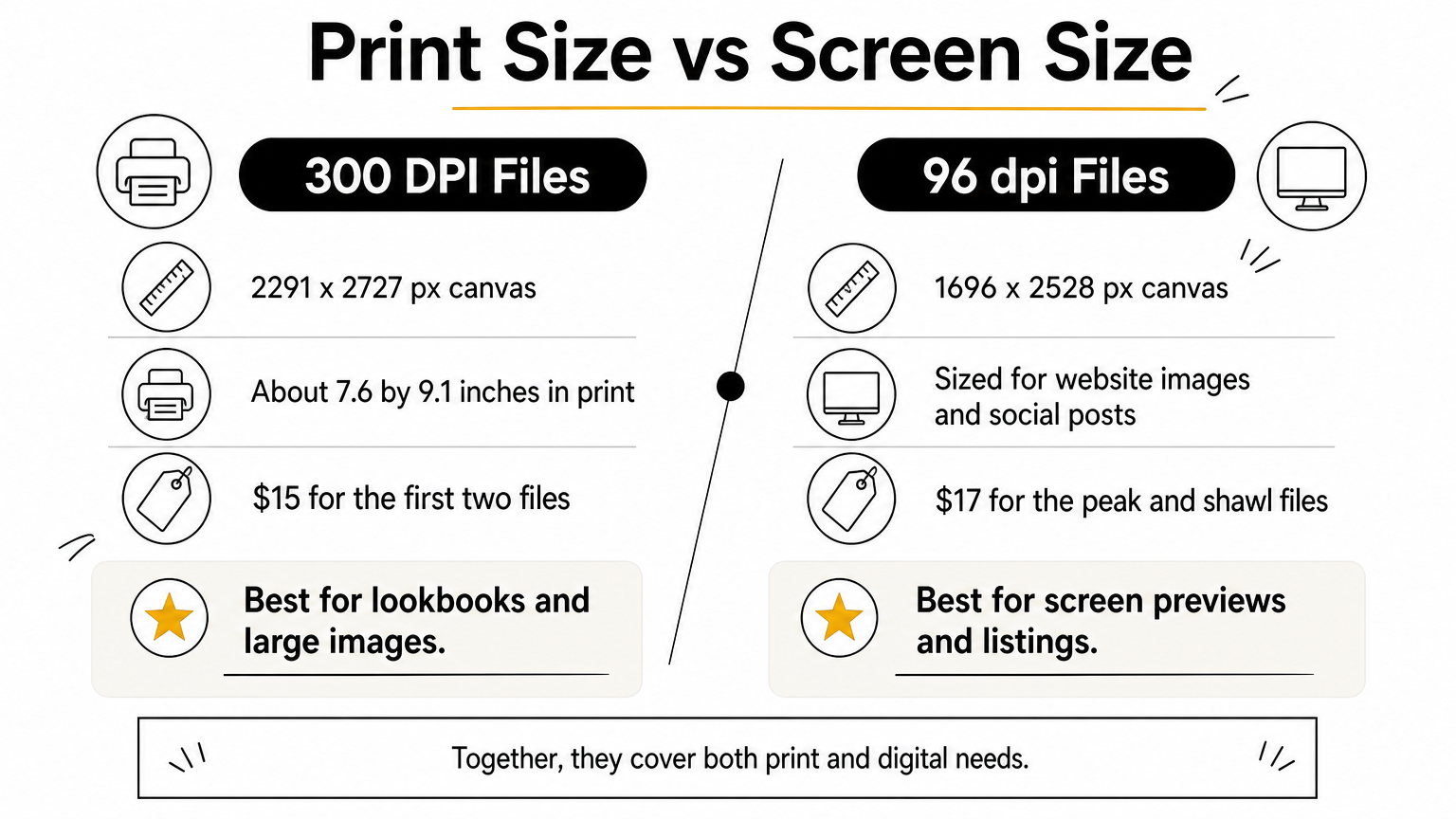
At 300 DPI, 2291 x 2727 px works out to roughly 7.6 by 9.1 inches at print size, enough for a lookbook page or a product banner. You can get it as the PSD Blazer Mockup.
- Price: $15
- Size: 2291 x 2727 px, 300 DPI
- Format: layered PSD, Photoshop CC 2023 or later
- Included: 5 sample blazer fabrics, 5 sample lining fabrics, 10 repeatable blazer fabrics, 10 repeatable lining fabrics
- Extras: 2 .PAT files and a video link
2. Custom Blazer Mockup with pocket options
What it shows
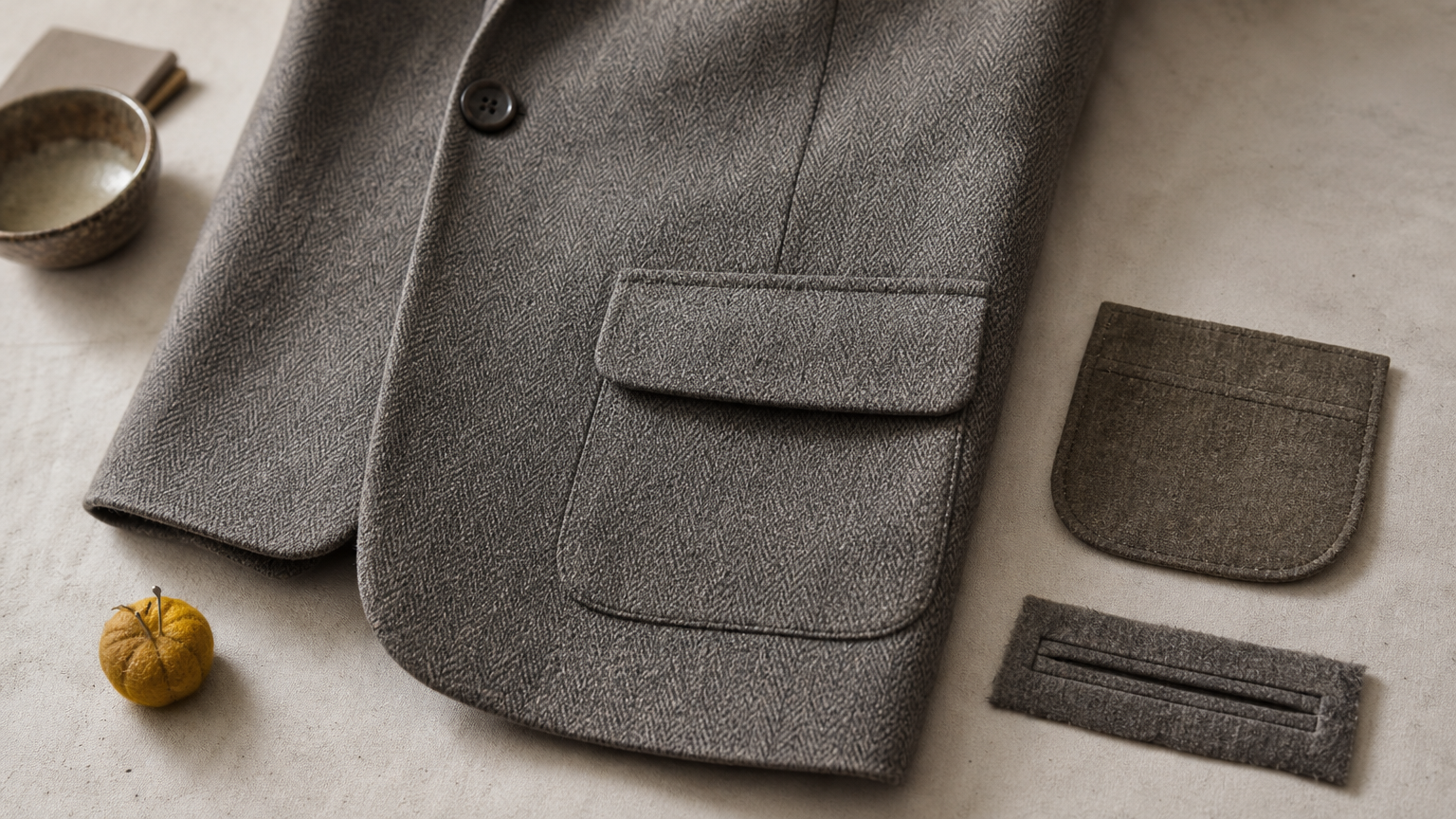
The Custom Blazer Mockup shows a six-button wide peak lapel blazer, front and back, and lets you choose the side pocket. Seven styles are built in: patch pocket, flap pocket, flap slanted, flap slanted ticket pocket, flap standard, double welted and double welted ticket pocket.
Fabric goes in through a Smart Object, the same double-click, replace and save routine as every file here. Because the pocket options are part of the file, you can compare pocket styles on one cloth before you commit to a sample.
If the pocket is part of your design, buy the file that lets you change it.
Who it suits
It fits brands and design teams that compare details before production, and stores that want front and back images of a statement blazer. A wide peak lapel with six buttons reads bold and tailored, so it works best for dressier collections.
Think twice if your garment is a plain two-button notch lapel. The first file is the closer match, and you would pay for pocket options you will not use.
Specs and price
Pocket detail is the reason to pick this one, and the 300 DPI canvas keeps those details sharp on large images. The file is listed as the Custom Blazer Mockup.
- Price: $15
- Size: 2291 x 2727 px, 300 DPI
- Format: layered PSD, Photoshop CC 2023 or later
- Included: 5 sample blazer fabrics, 5 sample lining fabrics, 10 repeatable blazer fabrics, 10 repeatable lining fabrics
- Extras: 2 .PAT files and a video link
3. Peak Lapel Blazer Mockup PSD for fabric previews
What it shows
The Peak Lapel Blazer Mockup PSD shows a tailored jacket with classic peak lapels, front buttons, flap pockets, long sleeves and a visible lining. Its Smart Object swaps the jacket fabric, and you export the result as JPG, PNG or another supported format.
Folds, seams, buttons, pockets and shadows stay realistic after the swap. The download includes 5 repeatable jacket fabrics and 5 repeatable lining fabrics, which gives you ten test materials before you load your own artwork.
This is the quickest file for turning a textile pattern into a believable jacket preview.
Who it suits
Textile designers, portfolio builders and anyone preparing client presentations will get the most from it. It is built for screen use: website images, listings and social posts.
If you need print-size output, the first two files give you 300 DPI. This one is sized for the screen.
Specs and price
The file is a good value for single-purpose previews, since you only pay for what a screen image needs. The product page is Peak Lapel Blazer Mockup PSD.
- Price: $17
- Size: 1696 x 2528 px, 96 dpi
- Format: layered PSD, Photoshop CC 2024 or later
- Included: 1 editable peak lapel jacket PSD, 5 repeatable jacket fabrics, 5 repeatable lining fabrics
- Extras: video link
4. Editable Shawl Lapel Blazer Mockup for formal looks
What it shows
The Editable Shawl Lapel Blazer Mockup swaps the notch or peak for a shawl lapel, one continuous rounded collar with no break at the gorge. It is the cut associated with dinner jackets and evening blazers.
As in the peak lapel file, you replace the fabric, color or pattern through an editable Smart Object layer, then export to JPG, PNG or another preferred format. Shawl collars suit cloth with body or sheen, so test velvet, jacquard or satin textures first.
A shawl lapel turns a blazer mockup into an evening piece, so choose it when the occasion is the selling point.
Who it suits
Formalwear brands, event and wedding collections, and designers who sell evening jackets will find it the closest match. It also helps tailors show clients how a dressy cloth drapes on a rounded collar.
For strict black-tie tuxedo presentations, the shop also carries dedicated tuxedo mockups. This file is the blazer-style option.
Specs and price
Like the peak lapel file, it is sized for screens. That makes it a fit for web stores and digital lookbooks. Check the product page in the shop for the full contents list.
- Price: $17
- Size: 1696 x 2528 px, 96 dpi
- Format: layered PSD with an editable Smart Object, Photoshop CC 2024 or later
- Export: JPG, PNG or another supported format
5. Double Breasted Jacket Mockup for overlapping fronts
What it shows
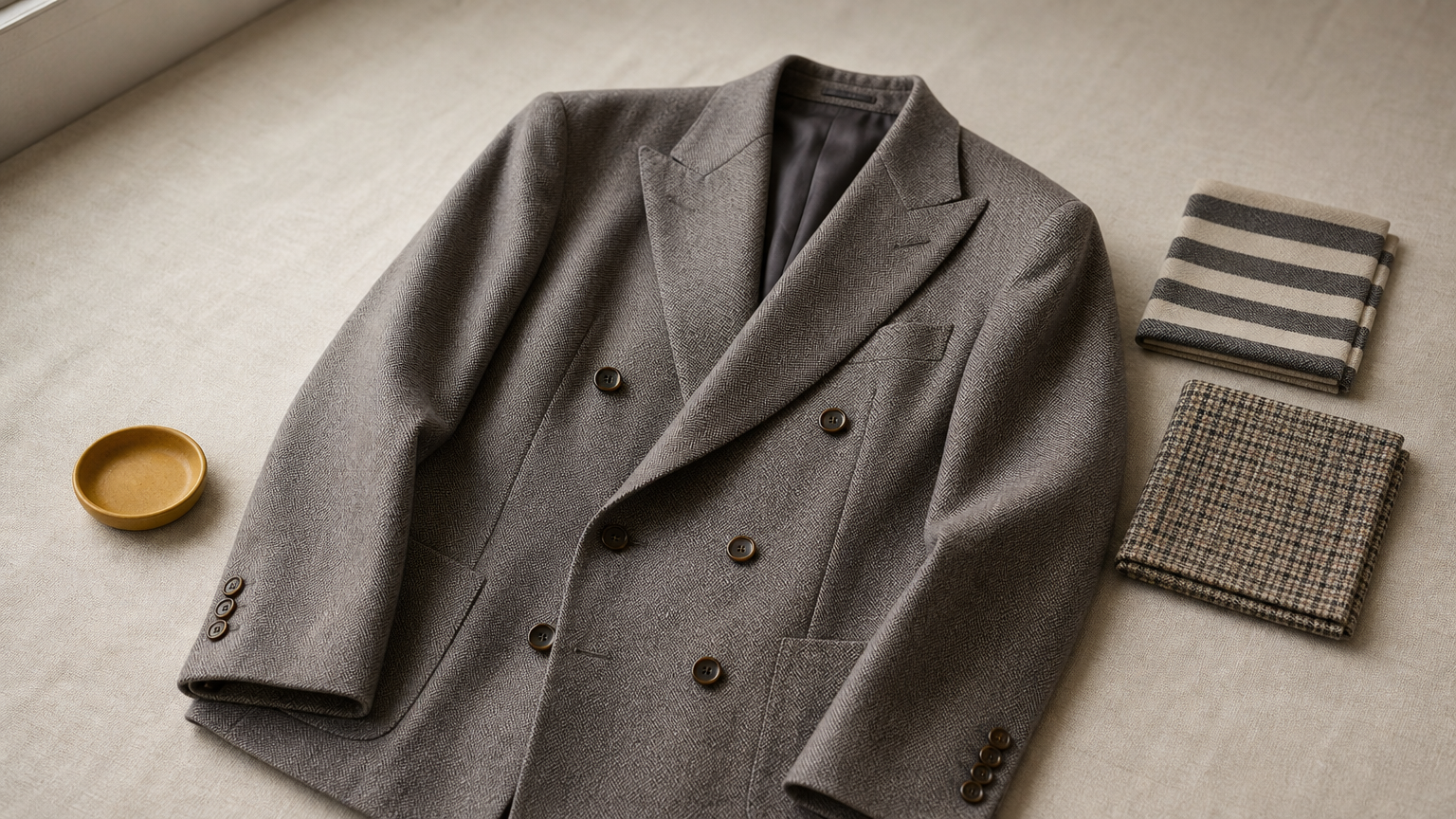
The Double Breasted Jacket Mockup presents a double-breasted jacket in a layered PSD with a Smart Object for the fabric. Double-breasted fronts overlap and carry two rows of buttons, so pattern alignment across the chest is where a mockup proves itself.
Replace the texture, save, and the cloth wraps over the structure with a smooth Liquify wrap. The download adds 5 sample jacket fabrics and 5 sample lining fabrics, plus 10 repeatable versions of each, so you can test stripes and checks right away.
Stripes and checks are the real test of a double-breasted mockup, so try one before you buy anything else.
Who it suits
It fits brands and designers whose range includes double-breasted blazers, and online stores that want sharp 300 DPI product images. Womenswear brands should look at the separate women's jacket mockup instead.
Because the file is named a jacket mockup, you may need to add a blazer-specific title in your own listing. The garment itself works for blazers cut double-breasted.
Specs and price
Resolution matches the first two files, so you can use all three in one catalog without visible differences in sharpness. It is available as the Double Breasted Jacket Mockup, and the product page shows the current price.
- Size: 2291 x 2727 px, 300 DPI
- Format: layered PSD, Photoshop CC 2023 or later
- Included: 5 sample jacket fabrics, 5 sample lining fabrics, 10 repeatable jacket fabrics, 10 repeatable lining fabrics
- Extras: 2 .PAT files and a video link
Choosing your blazer mockup
Match the file to the garment first, then to the output. A two-button notch lapel blazer calls for the PSD Blazer Mockup. If pocket style is part of your design, the Custom Blazer Mockup gives you seven options. For screen-sized fabric previews, use the peak lapel or shawl lapel files, and for an overlapping front, the double-breasted file. When the image will be printed, favor the 300 DPI files.
All five work the same way. You double-click the Smart Object, replace the fabric, and save. So the real decision is lapel, pockets and resolution, not software skill.
If you are unsure where to begin, start with the Custom Blazer Mockup. It lets you test the most variables in one file.
Comments
No comments yet. Start the conversation.