By TojoIn Suit10 min read
The right jeans mockup depends on what you need to show. For a realistic presentation of a custom wash or fabric, use a layered PSD with a Smart Object. For a quick social post with no Photoshop, a free online 3D generator is enough. For a tech pack or line sheet, vector flats beat photos. Free options exist for all three, but the license and export size decide whether a file is usable for a store.
Searching for a free jeans mockup mostly returns stock thumbnails, paid libraries and freebies with vague terms. You want one file that opens, takes your artwork, and exports an image you are allowed to sell with. Most downloads fail on one of those three points.
This list covers six routes, each with the same checks: what it is, who it suits, and what it costs. We sell PSD templates at ShirtsMockup, so our trouser mockups come first. They are paid, and they are tailored trousers rather than a five-pocket jean. We say so plainly, and the other five routes are free or cheaper.
1. ShirtsMockup trouser PSD for denim looks
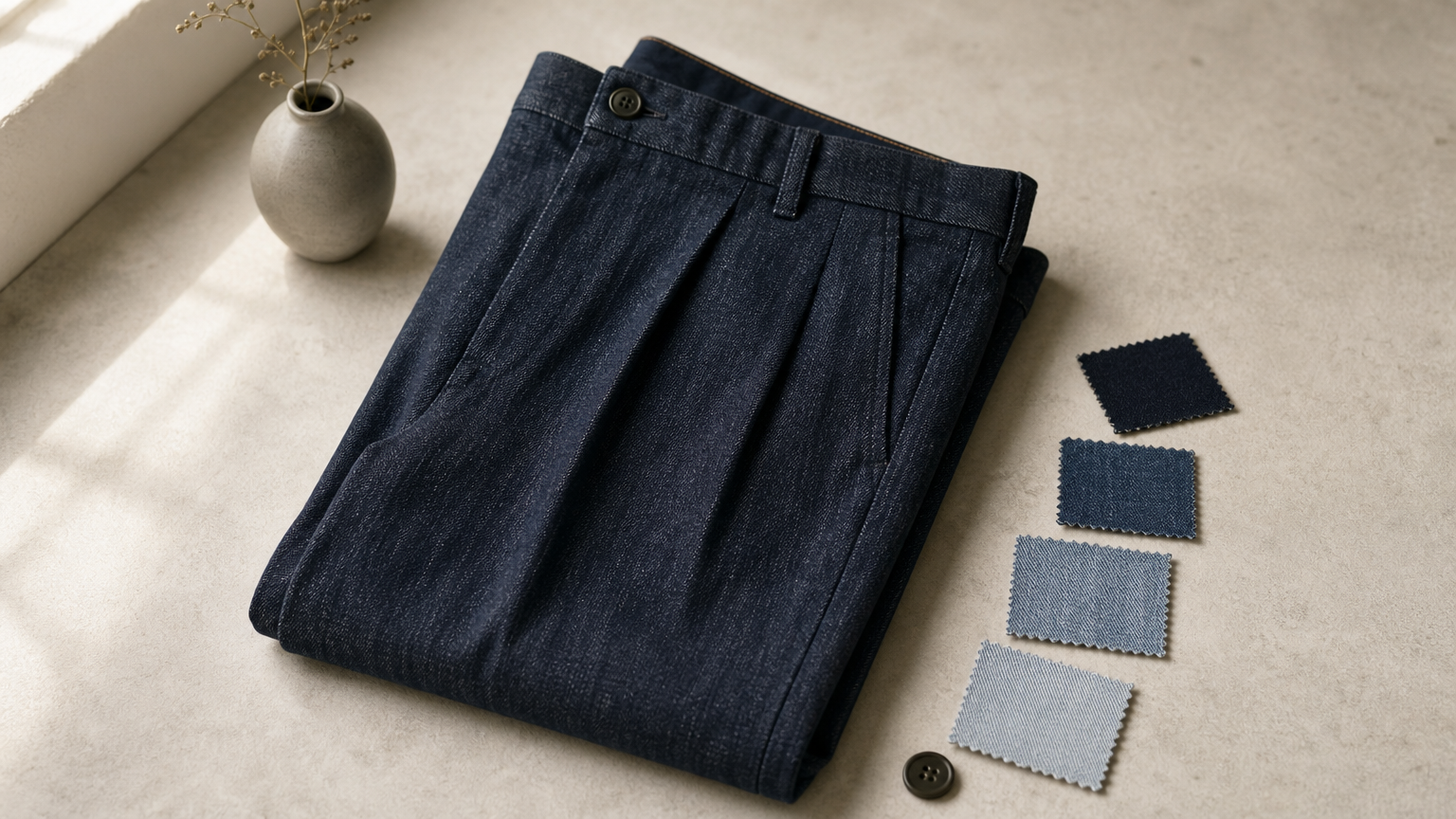
A trouser PSD with a denim texture works for dress denim, but it is not a classic jeans file. ShirtsMockup does not sell a dedicated jeans mockup. It sells two tailored trouser templates that take any fabric you give them.
What it is
The Men's Trouser PSD Mockup ($19) offers an extended single waistband and a split waistband. It also has a two-button side adjuster and two pleat styles, or no pleats. The PSD Trouser Mockup ($18) offers a standard hidden button waistband and a standard button waistband. It also lets you keep or remove the leg cuff.
Both are layered Photoshop files at 1690 x 2338 px and 300 DPI, and both need Photoshop CC 2023 or later. You double-click the Smart Object, drop in your denim texture or repeatable pattern, and save. A Liquify filter gives smooth fabric wrapping.
What the Men's Trouser PSD Mockup includes:
- 1 layered PSD file
- 5 sample trouser fabrics and 5 sample lining fabrics
- 10 repeatable trouser fabrics and 10 repeatable lining fabrics
- 2 .PAT files
- A video tutorial
Who it suits
It suits designers of dark-wash dress denim, tailored jeans or chino-style trousers. It also suits brands that need one clean, consistent product image for store listings. It does not suit you if you must show rivets, a yoke or back pockets, or a specific skinny silhouette. The template is built as tailored trousers, so those details are not part of it.
Here is a worked example. You want to show one trouser cut in four denim washes. Buy the $19 file, swap the texture four times, and export four images. That is under $5 per image, and you do not need a shoot.
Cost and limits
Both files are paid: $19 and $18. Anyone can view the previews, but only members can buy and download. Because these are digital goods, report problems within 14 days. A refund can be denied if you already downloaded or used the file.
The license covers one project per purchase. It also prohibits use in print-on-demand services and in any tool where your customer customizes the product. If you run a customizer storefront, pick another route.
A trouser PSD with a denim texture stands in for dress denim, not for a five-pocket jeans mockup.
2. Free online 3D mockup generators
A browser-based 3D generator is the fastest way to get a free jeans mockup with no Photoshop. You upload a design, pick a 3D jeans model, and export an image in minutes.
What it is
These tools show a rotatable 3D pair of jeans in the browser. You usually upload artwork, a pattern or a label graphic, and place it on the model. Some let you change the jean color or the camera angle. Many include a short beginner tutorial, because the whole point is that you need no design skills.
The model is a fixed shape. The trade-off is that you get speed and no software cost, but little control over fabric wrapping or fit.
Who it suits
It suits sellers testing an idea before spending money. It also suits social media posts and quick client previews. A founder choosing between three embroidery placements can render all three in one sitting and compare them on a phone.
It is a poor fit for a final product page that has to look photographed. It is also weak for a precise skinny-fit or wide-leg silhouette, because you get the shapes the tool ships with.
Cost and limits
The core tools are often free. Check export resolution, watermarks and commercial-use terms before you rely on one. Free tiers commonly cap image size or require a paid plan for clean exports, but the terms differ, so read them. Save a test export and zoom to 100% to see whether stitching and edges hold up.
Free generators get you a presentable image fast, but check the export size and license before it goes on a store page.
3. Free PSD freebies from design sites
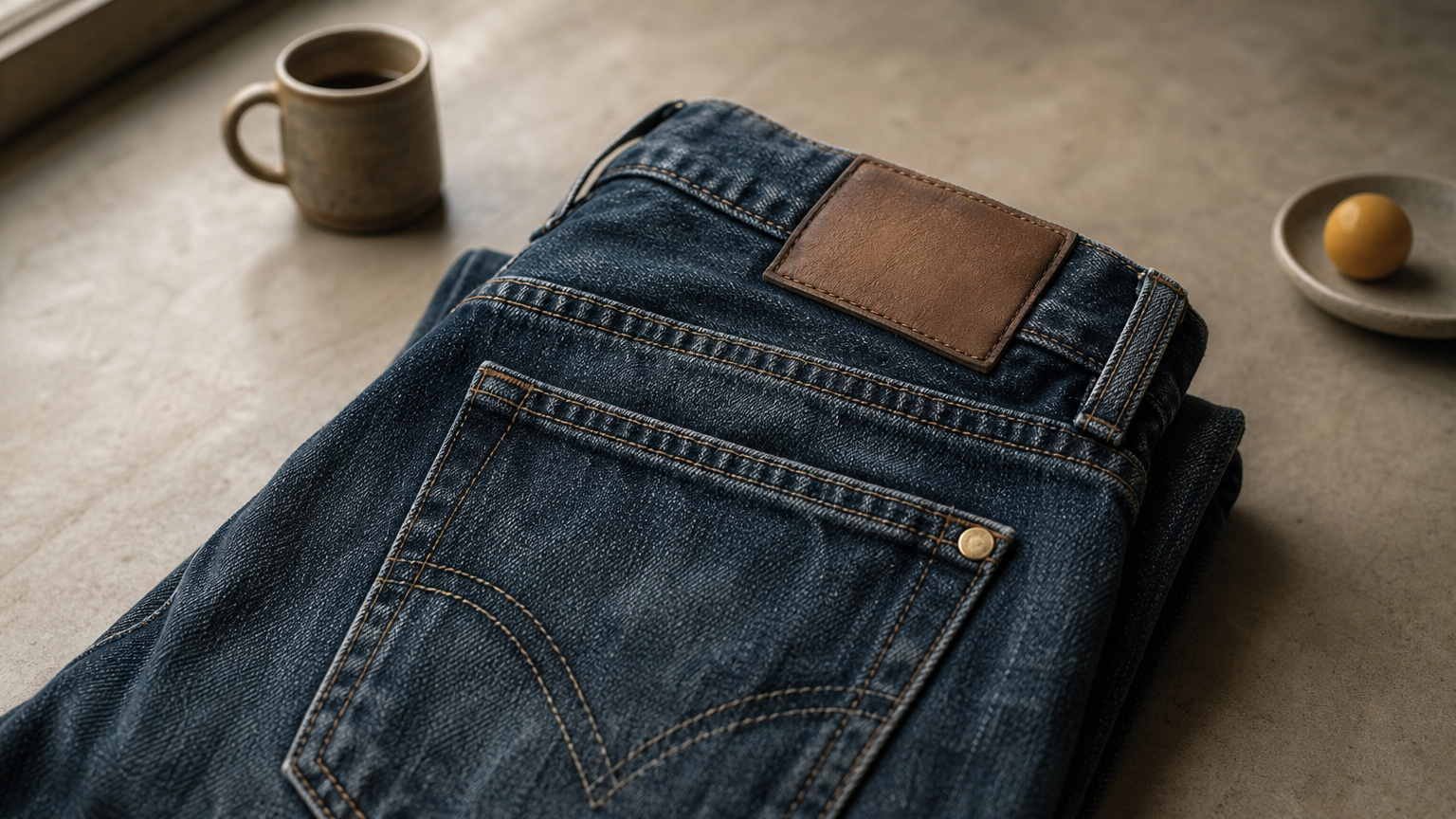
Free PSD downloads are the closest thing to a classic free jeans mockup in PSD format. They are layered Photoshop files with a Smart Object where your design goes.
What it is
Designers publish freebies as a single PSD or a small pack. The common formats are a close-up of a jeans label or leather patch, a folded pair, a stacked pair, or a back-pocket detail. Open the file, double-click the Smart Object, paste your logo or artwork, and save. The file keeps the original shadows and fabric texture.
Most freebies show one angle and one pair. Expect a nice label shot, not a full range of fits.
Who it suits
It suits brand owners who need a single hero image of a label, patch or pocket logo. It also suits students and portfolio builders who work in Photoshop. If you already know Smart Objects, a freebie takes two minutes to customize. If you do not, the tutorials that come with many freebies are worth watching first.
Cost and limits
The files cost nothing, but the license is the catch. Many freebies are personal or portfolio use only, so confirm commercial use before you put one on a product listing. Some require an email signup or a credit link. Check the file size too, because a 1500 px freebie will look soft on a large banner.
A free PSD is only free to use if the license allows commercial work, so read it before you download.
4. Stock vector jeans flats for tech packs
Vector flats are technical drawings, not photos, and they are the right "jeans mockup" for a tech pack or line sheet. They are flat front and back drawings you recolor and annotate.
What it is
Stock libraries carry hundreds of vector flat sketches of jeans. The cuts include skinny, straight, baggy, wide-leg, barrel, flared, bootcut and cargo. They usually come in front and back views as Illustrator-compatible vector files. You change fills, add stitching colors, drop in a wash, and label the pockets and hems.
This is also the easiest route to a skinny jeans mockup or any specific fit, because the silhouette is drawn, not baked into a photo. Pick the cut first and edit second.
Who it suits
It suits designers sending specs to a factory and brands building a line sheet with ten styles on one page. A flat shows construction clearly, which a photo can hide. It does not suit a customer-facing product page, because shoppers expect realistic images.
You need Illustrator or a similar vector editor to edit these files. Without one, you are limited to the preview image.
Cost and limits
Stock vectors are usually sold per file or by subscription, so they are typically not free, though some free flats exist. The license matters more than the price. A standard stock license often allows use in your own designs and marketing, but check the terms for reselling the template itself. Keep the original and work on a copy.
Vector flats win for specs and line sheets, and photos win for product pages.
5. Premium marketplace packs and subscriptions
Paid packs and subscription libraries are the step up when free files look dated. They offer more poses, better resolution and clearer commercial terms.
What it is
Marketplaces list stacked jeans mockups, oversized streetwear pairs, realistic 4K renders and label packs, from independent designers. Subscription libraries offer a large catalog of jeans, pants and apparel PSDs. Subscriptions let you download unlimited files while the plan is active.
Quality varies from seller to seller. Read the listing for resolution, layered structure and whether a Smart Object is included.
Who it suits
It suits sellers who publish new drops often. A small brand that releases a monthly denim collection gets more value from a subscription than from one-off freebies. It also suits agencies that serve several clients, since the license usually covers client work.
If you need one image once, buying a single pack is cheaper than a subscription.
Cost and limits
Prices range from a few dollars for a single pack to a recurring fee for a library. A subscription only pays off if you will download enough files. Look at the license tier and the preview resolution before you buy. Some listings show a polished preview, but the PSD is smaller than you expect. Zoom the preview, and read recent buyer notes on the seller's page for problems.
A subscription pays off only when you download often, and a single pack is cheaper for a one-off job.
6. A DIY mockup built from your own photo
If no template fits your cut, build your own custom jeans mockup from a photo. It is free, it matches your exact product, and it takes about half an hour once you know the steps.
What it is
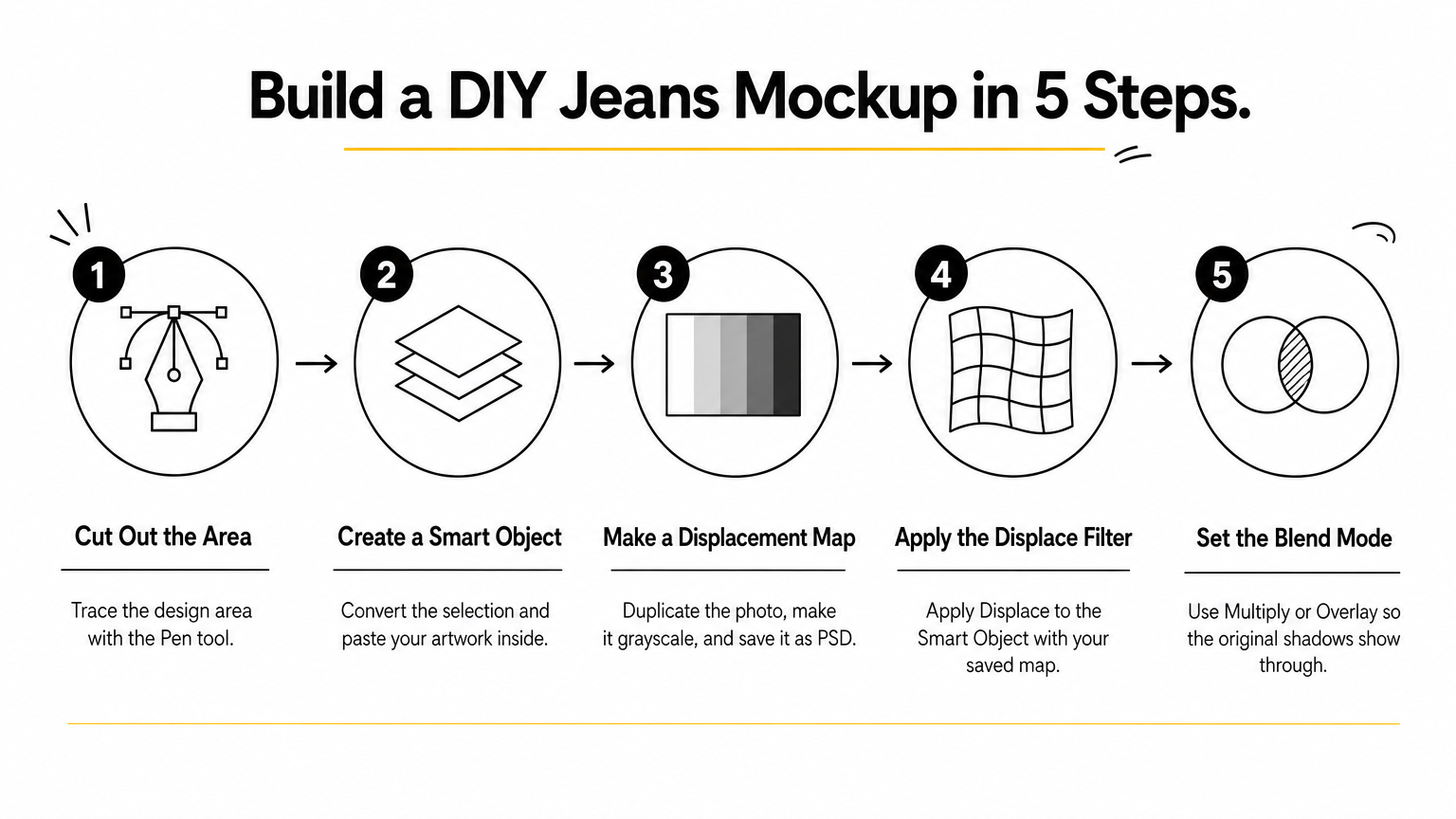
You photograph a blank pair, or use a photo you have the rights to, and turn the leg or pocket area into a Smart Object. A displacement map keeps your design bending with the folds. This is the way to get a precise skinny or tapered silhouette that a template may not offer. Shoot in soft, even light, with the jeans laid flat or on a mannequin.
The steps in Photoshop:
- Cut out the area where the design goes with the Pen tool.
- Convert the selection to a Smart Object and paste your artwork inside.
- Duplicate the photo, make it grayscale, and save it as a PSD displacement map.
- Apply Filter > Distort > Displace to the Smart Object, with the map you saved.
- Set the blend mode to Multiply or Overlay so the original shadows show through.
Who it suits
It suits designers who already own a blank sample and want a mockup that matches it. It also suits anyone who needs a single custom angle. If you have never used Smart Objects, expect a slow first attempt. After that, reuse the same file for every new design.
Cost and limits
The cost is your time and a camera, with no license worries because the photo is yours. The limit is realism: lighting and wrinkles decide the result, so shoot carefully. A DIY file also takes effort to keep consistent across many products. For ten styles, a template is faster. Save your finished file as a template once it works.
A DIY mockup costs time instead of money, and it gives you the only exact match for your own jeans.
Pick the route that fits your output
Choose by output. Use a free 3D generator or a freebie PSD for quick previews. Use vector flats for specs. Use a premium pack or your own photo when the image must look photographed. In every case, read the license before you download, because commercial use is where free files often fall short.
If your design is dark-wash dress denim or a tailored trouser cut, try the Men's Trouser PSD Mockup with your own denim texture. It is a paid file, but one purchase covers as many washes as you want to test.
Comments
No comments yet. Start the conversation.