By Tojo8 min read
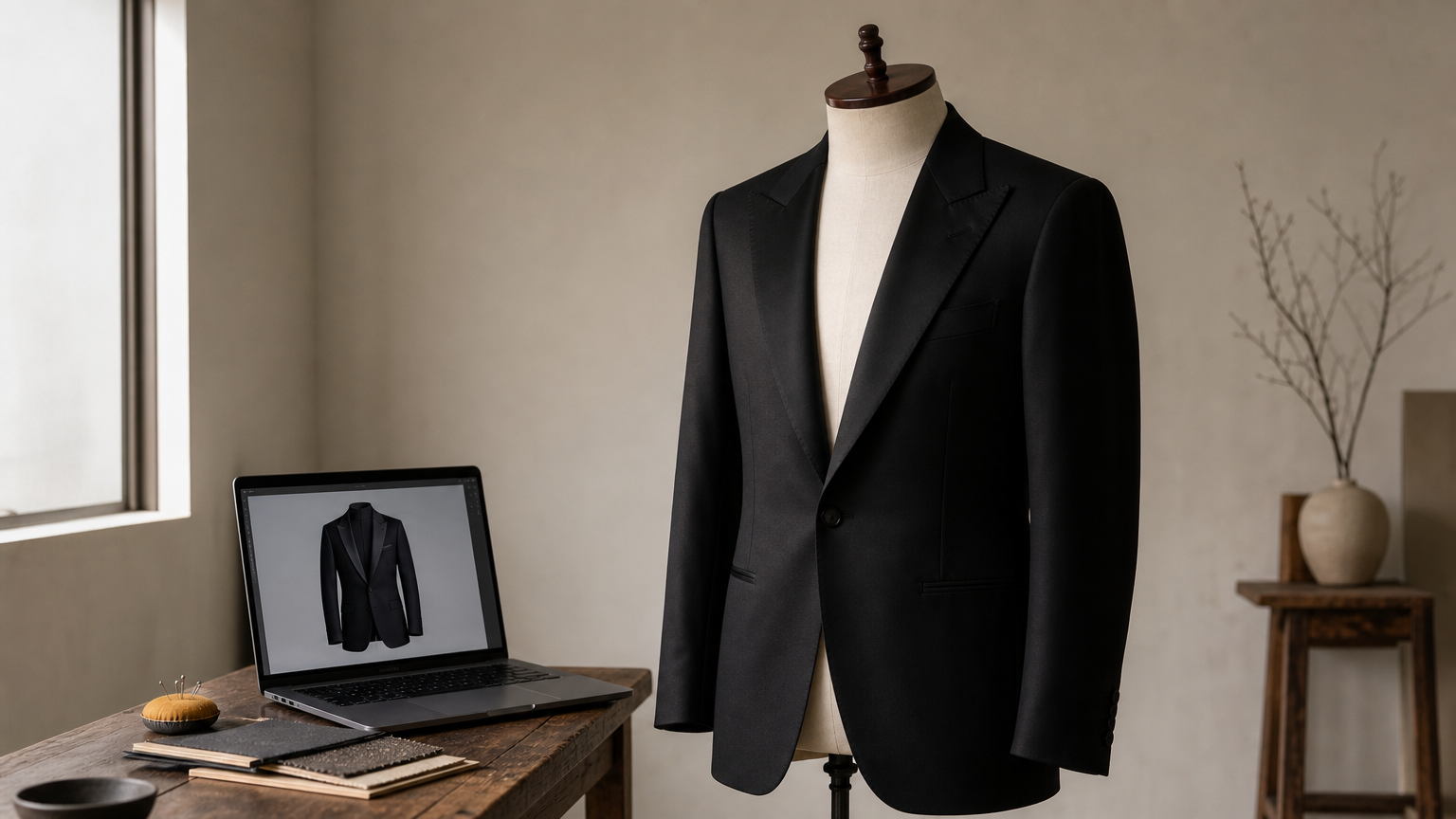
Shooting a real tuxedo for your portfolio or product listing means renting or buying the garment, booking a model and photographer, then paying for retouching before you even see a finished image. A tuxedo mockup, the formalwear take on a men suit mockup, skips all of that. It's a pre-built digital template, usually a PSD file, that lets you drop your design, fabric, or lapel style onto a photo-realistic tuxedo render in minutes.
If you're searching for how this actually works, here's the short version: you open a tuxedo mockup psd in Photoshop, place your pattern or color into the smart layers, and the software wraps it around the folds, shadows, and stitching automatically. No lighting setup, no model, no reshoots when a client changes their mind about the color.
This article breaks down what a tuxedo mockup is, why formalwear brands and tailors rely on them rather than photography, and how to use a men's tailored tuxedo mockup to present lapel, lining, and vest combinations convincingly. You'll also see what separates a usable mockup file from one that looks flat or fake once you customize it.
Why tuxedo mockups matter for designers and brands
Formalwear sells on details that photography struggles to capture cheaply: a peaked lapel versus a shawl collar, a subtle herringbone weave, the contrast stitching on a lining. A tuxedo mockup lets you show every one of those variations without renting a new garment each time. You build one file once and reuse it for every colorway, every client pitch, every season.
Cost and speed compared to photography
A single tuxedo photo shoot with a model, stylist, and photographer easily runs into hundreds or thousands of dollars once you include retouching. A mockup template is a one-time purchase you can reuse indefinitely, which is the simplest way to save time and money on product imagery.
| Task | Photo shoot | Tuxedo mockup |
|---|---|---|
| Garment sourcing | Rent or buy each style | Not needed |
| Turnaround per variation | Days | Minutes |
| Cost per new colorway | $100+ | $0 |
| Consistency across the catalog | Hard to match the lighting | Identical every time |
A mockup turns a single photo shoot's budget into an unlimited library of product images.
Presenting to clients before production
Tailors and small brands often need buy-in before cutting fabric, and a men's tailored tuxedo mockup guide shows how that presentation comes together. Showing a client a realistic render of their chosen lapel style, vest, and lining combination closes decisions faster than swatches or sketches ever could. Because the file is layered, you can flip between three lapel widths in a single meeting instead of scheduling three fittings.
Brands scaling into e-commerce face a different pressure: listing pages need consistent, professional imagery across dozens of SKUs. Digital mockups make that catalog consistency achievable without a studio, which is exactly why formalwear sellers and print-on-demand shops lean on them so heavily for both marketing and product pages.
How to use a tuxedo mockup PSD step by step
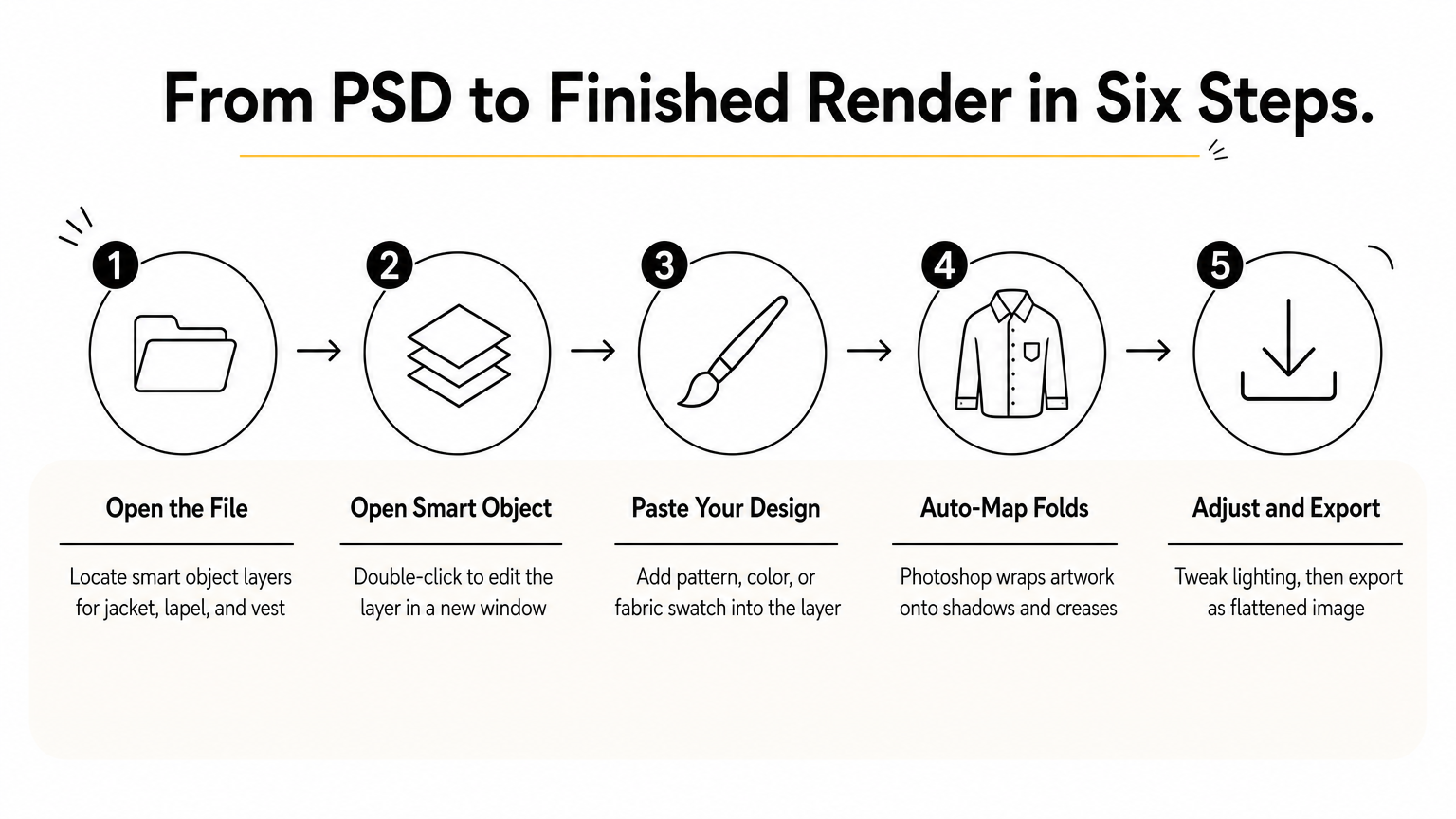
Opening a tuxedo mockup psd for the first time can feel intimidating if you've never touched smart objects, but the workflow is the same every time once you learn it. Photoshop does the heavy lifting, as this step-by-step guide to using mockups in Photoshop shows: warping your artwork around folds, adding realistic shadows, and blending it into the fabric texture. You just need to feed it the right file in the right order.
Step-by-step workflow
- Open the PSD in Photoshop and expand the layer panel to find the smart object layers (usually labeled by garment part: jacket, lapel, vest, lining).
- Double-click the smart object to open it in a separate window.
- Paste your design, pattern, or color swatch into that window and save (see how to apply fabric textures with smart layers if your artwork needs depth).
- Photoshop automatically maps it back onto the tuxedo render with correct shadows and folds.
- Adjust background, lighting overlays, or color balance if the template includes those layers.
- Export as a flattened JPEG or PNG for your listing, portfolio, or client proposal.
Once you've customized one smart layer correctly, every future colorway takes seconds instead of hours.
Repeat the process for each variation, and you'll have a full catalog ready before a photographer would even confirm a shoot date.
What to look for in a men's tailored tuxedo mockup
Not every tuxedo mockup file is built the same, and the difference shows up the moment you try to customize one. A cheap or poorly built template flattens your fabric pattern, loses shadow depth on the lapel, or locks you into a single pose you can't adjust. Before you buy, check the file against a short list of technical markers that separate a genuinely usable men's tailored tuxedo mockup from one you'll abandon after the first render.
Key quality markers
- Smart object layering: separate smart objects for jacket, lapel, vest, and lining so you can change each independently.
- Realistic fold and shadow mapping: fabric should wrap naturally around the body, not sit as a flat overlay.
- High resolution output: at least 3000px on the long edge for print-quality listings.
- Editable background and lighting layers: lets you match the mockup to your brand's existing catalog look.
- Multiple angles or poses: front, three-quarter, and close-up views in one bundle save you buying separate files.
A mockup is only as good as its shadow work; that's what convinces a viewer they're looking at real fabric.
Open the layer panel before you buy if a preview is available. Organized, clearly labeled folders signal a template built for actual production use, not just a quick sale.
Tuxedo mockup formats and file types explained
Most tuxedo mockup files come as layered PSD, but you'll also run into PNG and occasionally vector assets, and each serves a different job. Knowing what a PSD mockup file actually is saves you from buying a file you can't actually edit.
PSD, PNG, and vector compared
A layered PSD is what you want for actual customization since it holds separate smart objects for lapel, vest, and lining. PNG files are flattened, so they're fine for a quick social post but useless if a client asks for a color change. Vector mockups are rare in formalwear because fabric folds and shadows don't translate well to flat shapes.
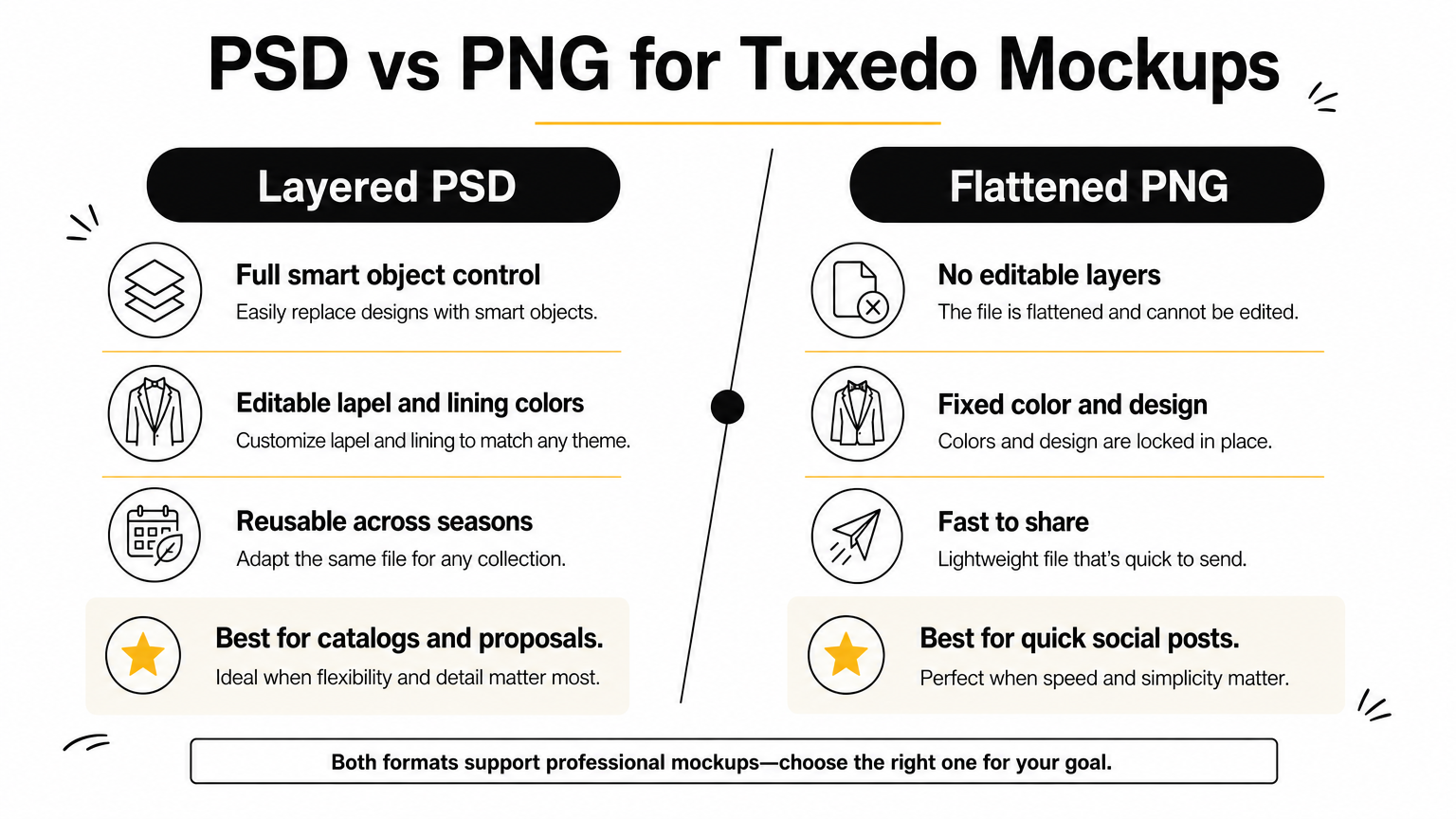
| Format | Editable | Best use |
|---|---|---|
| PSD | Yes, full smart object control | Product listings, catalogs, client proposals |
| PNG | No, flattened image | Social posts, quick previews |
| Vector | Limited | Logos, flat graphics, not fabric detail |
If you can't open smart layers and swap colors, it's not a working mockup, it's just a picture.
Stick with PSD whenever you plan to reuse the file across multiple colorways or seasons.
Common mistakes to avoid when customizing your mockup
Even a well-built tuxedo mockup can look fake if you skip a few basic steps. Most rendering problems come down to rushing the smart object stage instead of matching your artwork to the file's actual dimensions and color settings, the same habits that separate realistic PSD mockups from obvious fakes.
The errors that ruin realism fastest
- Ignoring resolution mismatches: pasting a low-res pattern into a high-res smart object leaves visible pixelation on the lapel.
- Skipping the color profile: working in RGB when the template expects CMYK shifts your fabric tone once exported.
- Flattening too early: merging layers before you've confirmed the shadow pass locks in mistakes you can't undo.
- Overwriting the shadow layer: painting directly over Photoshop's built-in shadow map instead of letting it blend underneath your pattern.
- Stretching artwork to fit: distorting a logo or texture to cover the smart object instead of tiling or scaling it properly.
A mockup fails the moment the viewer notices the fabric isn't actually folding with the body.
Save a copy of the original file before editing. If a step goes wrong, you'll want an unedited tuxedo mockup psd to restart from rather than rebuilding smart objects from scratch.
Bringing your tuxedo designs to life
A good tuxedo mockup replaces the entire photo shoot chain: no rented garment, no model, no reshoot when a client asks for a different lapel. You've seen what separates a usable file from a flat one (smart object layering, real shadow mapping, high resolution) and where each format fits, from editable PSD to flattened PNG. Get the workflow right once, and every future colorway takes minutes instead of days.
None of that matters if the file itself is weak. A poorly built mockup will fight you at every step, no matter how carefully you follow the process. Start with a template built specifically for formalwear, with separate smart objects for lapel, vest, and lining, and organized layers you can actually work with.
If you're ready to stop paying for shoots and start showing every lapel style your clients ask for, grab the high-resolution men's tailored tuxedo PSD mockup and get your first design rendered today.
Comments
No comments yet. Start the conversation.