By Tojo10 min read
You designed a killer t-shirt graphic, and now you need a way to show it off without booking a photographer or renting studio lights. That's where a shirt mockup comes in: a pre-built template that wraps your artwork onto a realistic shirt render in minutes. Whether you're prepping a print-on-demand listing or a client presentation, the right template does what a product mockup is meant to do: make flat artwork look like a finished product photo.
If you're searching for a free t-shirt mockup, you don't need to pay for a premium tool just to see how a design looks on fabric. Plenty of solid generators and downloadable templates let you drop in your artwork, adjust placement, and export a clean image for your store or portfolio, all without spending a dime. The trick is knowing which ones actually deliver realistic shading and texture instead of a flat, obviously fake overlay.
In this list, we've rounded up six of the best free options, covering both browser-based generators and downloadable PSD files, and you can compare them against the top mockup tools for every project if you want a wider view. We'll point out what each tool does well, where it falls short, and when it makes sense to upgrade to a mockup t-shirt template designed for more polished, professional results, such as a layered PSD shirt template.
1. Canva t-shirt mockup generator
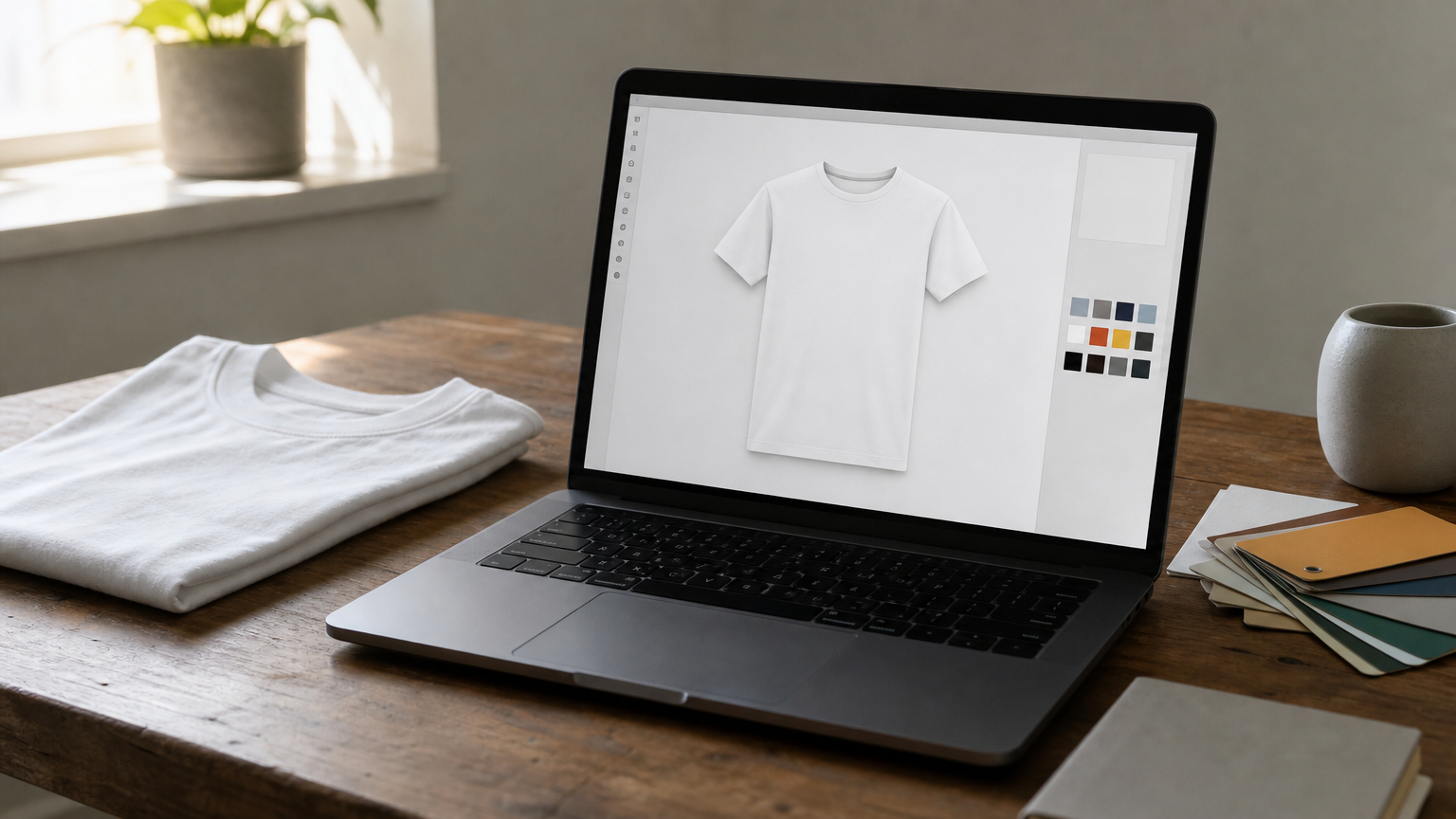
Canva built its reputation on drag-and-drop graphic design, and its Mockups app extends that same simplicity to product visuals. You don't need a Canva Pro subscription to get started; the free plan includes a rotating selection of apparel templates, including several plain t-shirt designs in different colors and poses. Because most people already have a Canva account for social posts or flyers, it is often the fastest way to get a usable t-shirt mockup without installing new software, much like using a free shirt mockup generator in the browser.
How it works
Open the Apps panel inside any Canva design, search for "Mockups," and pick a t-shirt template from the results. Upload your artwork as a PNG with a transparent background, drag it onto the shirt graphic, and Canva automatically maps it to the fabric's folds and shading. You can resize, reposition, and layer multiple designs (front print plus a small sleeve logo, for example) before exporting the finished image as a PNG or JPG.
A tool only earns a spot on your workflow if it saves you real time, and Canva's drag-and-drop mockup step does exactly that for quick previews.
Best for
This generator suits beginners and marketers who need a presentable shirt image fast and don't want to open Photoshop. It's also a good fit for print-on-demand sellers testing multiple design variations before committing to a paid mockup pack, since you can swap artwork in seconds. Freelancers pitching a client on a rough concept will find it more than adequate for a first-round mockup.
Pricing
Canva's free plan covers a solid stack of basic t-shirt colors and angles, which is plenty for casual use. Canva Pro, billed at about $12.99 per month (or roughly $119.99 per year), unlocks a larger library of mockup shirts with more poses, fabric textures, and background scenes. Keep in mind that realism here tops out at "good enough for social media," not photo-studio quality, so treat it as a starting point rather than your final storefront image.
2. Placeit t-shirt mockup generator
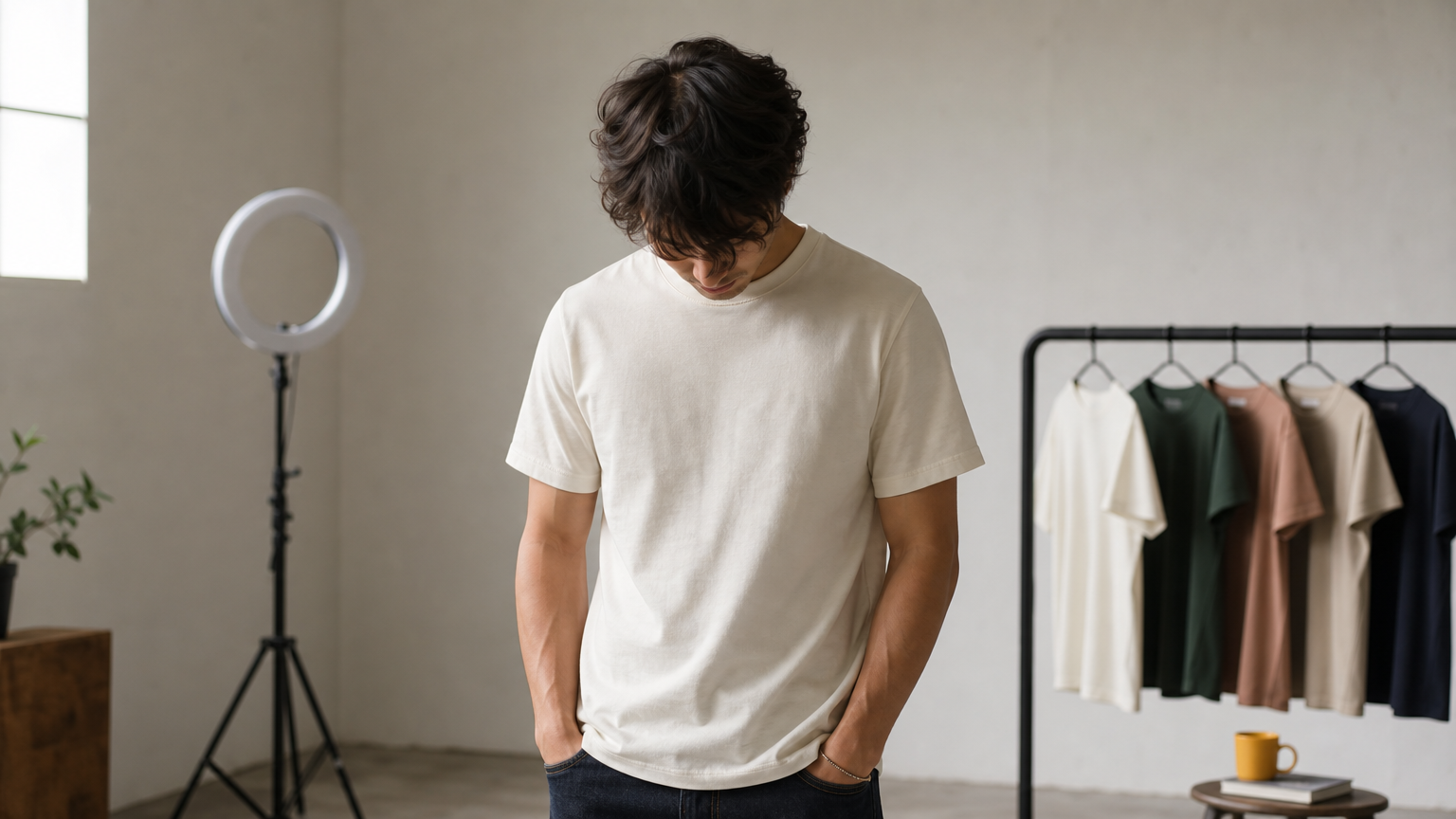
Placeit built its name on a massive library of ready-made scenes, models, and product angles, making it one of the fastest ways to get a photorealistic t-shirt mockup without any editing skills. Instead of manually mapping artwork onto folds, you pick a scene (studio shot, lifestyle photo, flat lay) and let the platform handle the placement and lighting automatically.
How it works
Search the Placeit catalog for "t-shirt mockup," filter by color, model, or setting, then upload your design file straight into the template editor in your browser. The tool instantly renders your artwork onto the shirt with matching shadows and fabric texture, and you can tweak size, rotation, and print area before exporting.
The fastest mockup workflow is the one that skips manual layer alignment entirely, and that's Placeit's biggest advantage.
Best for
Placeit works best for print-on-demand sellers who need dozens of listing images across different shirt colors and model types without touching Photoshop, the same job a custom apparel mockup generator handles. It's also handy for anyone who wants a lifestyle shot with a real model wearing the shirt rather than a flat product render, since that library depth is where Placeit outpaces most free generators.
Pricing
Free access is limited to watermarked previews, so you can test the fit and placement before paying. A full download requires a single-image purchase (around $9.95) or a subscription starting at $14.95 a month for unlimited downloads across mockups, logos, and video templates.
3. Artboard Studio t-shirt mockup generator
Artboard Studio takes a different approach than Canva or Placeit: it's a browser-based design canvas built specifically for mockup work, with a scene editor that feels closer to Photoshop than a simple template picker. If you want more control over lighting angles and background props without installing desktop software, this shirt mockup tool hits a nice middle ground between simplicity and customization.
How it works
Create a free account, then browse the mockup library for t-shirt scenes tagged by pose, fabric color, and camera angle. Drag your design onto the smart layer, and the editor snaps it into place while preserving the shirt's natural creases and shadow falloff. You can also stack multiple mockups into a single collage for a store banner, adjust the background color, and add simple text overlays before exporting.
Realistic shadow mapping is what separates a mockup that looks pasted-on from one that looks photographed, and Artboard Studio gets that detail right on its t-shirt templates.
Best for
This generator suits designers who want layout control, like building a full product page hero image with multiple angles, rather than a single quick preview. Small brand owners assembling a lookbook will appreciate the collage and multi-scene features more than solo sellers who just need one clean listing photo.
Pricing
The free tier gives you access to a rotating set of mockups, including several t-shirt templates, with standard export resolution. Paid plans start at around $16 per month and unlock the full mockup catalog, higher-resolution exports, and team collaboration features for agencies producing bulk client work using apparel mockup templates.
4. Pacdora 3D t-shirt mockup generator
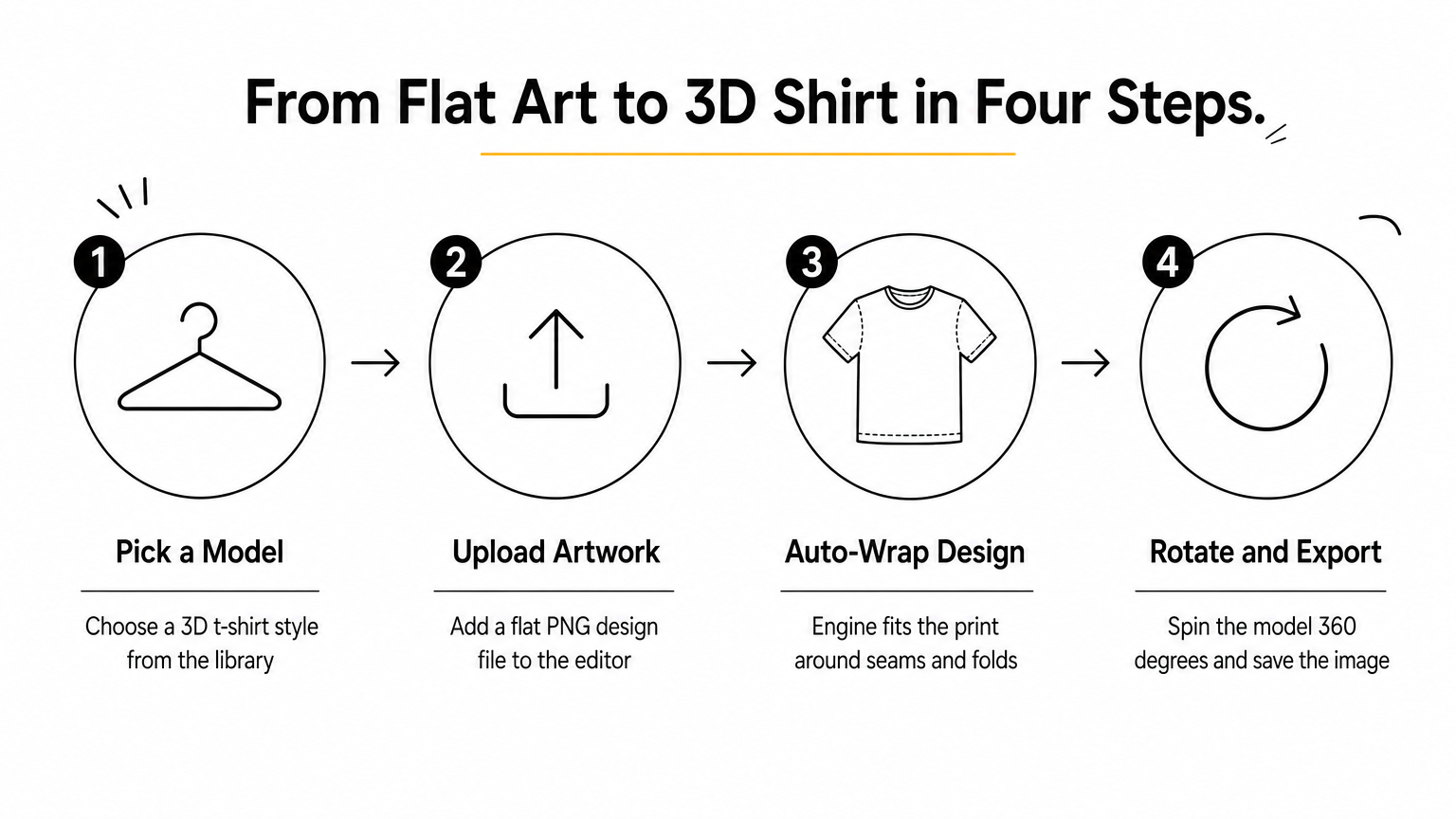
Pacdora stands apart from the other tools on this list because it renders your design in true 3D rather than pasting a flat image onto a static photo. That matters if you want to check how a print wraps around seams or how a large graphic behaves near the collar and side panels before you commit to production. For anyone building a mockup for t-shirt designs that need to survive a 360-degree product view, this generator gets you closer to a real garment than a flat template ever will.
How it works
Pick a t-shirt model from Pacdora's 3D library, then upload your artwork as a flat PNG file. The engine automatically wraps the design around the digital garment, adjusting for curvature, seams, and fabric folds in real time. You can rotate the model a full 360 degrees, swap fabric colors, and export static images or a short spin video straight from the browser.
Checking a design in 3D catches placement problems a flat mockup simply can't show you.
Best for
Pacdora suits print-on-demand brands and manufacturers who need to verify print placement before cutting fabric, as well as sellers who want a spinning product video for their online store. It's less useful if you just need one quick flat image for a social post.
Pricing
The free plan covers basic t-shirt models, standard-resolution exports, and a limited number of daily renders. Paid plans start around $19 a month, unlocking higher-resolution downloads, more garment styles, and video export options.
5. Vecteezy free t-shirt mockup PSDs and vectors
Vecteezy takes a completely different approach from the browser generators above: it's one of those stock libraries for clothing mockups, packed with downloadable PSD mockup files and vector graphics that you can open in Photoshop or Illustrator. If you want full manual control over lighting, shadows, and layer order rather than relying on an automated placement engine, this is where a free t-shirt mockup actually gives you room to work.
How it works
Search Vecteezy for "t-shirt mockup" and filter results by file type (PSD, AI, or EPS) and license. Download the layered file, open it in Photoshop, and drop your artwork onto the smart object layer, which is usually clearly labeled by the original creator. The same smart object workflow for editing PSD mockups that every template relies on. From there, you adjust blend modes, fabric color, and shadow opacity by hand.
A downloadable PSD gives you the same control a paid template does, minus the price tag, as long as you're comfortable in Photoshop.
Best for
This option suits designers who already know Photoshop and want a one-time download rather than an ongoing browser tool. It's also a solid pick if you need a specific pose or angle that generators don't offer, since the library spans thousands of individual contributor uploads.
Pricing
Most files require free membership, and some carry attribution requirements depending on the license. A Pro subscription, starting around $9.99 a month, removes attribution needs and unlocks premium, exclusive templates.
6. MrMockup free t-shirt mockup templates
MrMockup runs a curated blog-style catalog of downloadable PSD files, and its t-shirt section is one of the deepest free collections you'll find outside a paid marketplace. Unlike Vecteezy's crowdsourced library, every template here goes through the site's own editorial pick, so quality stays consistent from file to file. If you want a free t-shirt mockup without wading through dozens of low-effort uploads, this curation saves real search time.
How it works
Browse the t-shirt category, click through to an individual post, and download the PSD from the linked source (often Google Drive or Dropbox). Open the file in Photoshop, find the labeled smart object layer, paste your design, and save it, exactly as you would with any customizable PSD file in Photoshop. Most files include simple instructions in the post itself, which helps if you're new to layered mockups.
Curated download lists beat raw search results when you'd rather browse ten solid options than filter through a hundred mediocre ones.
Best for
MrMockup fits hobbyist designers and small brands who want variety, front views, back views, folded shirts, flat lays, without hunting across multiple stock sites. It's a good bookmark for anyone building a personal swipe file of go-to templates.
Pricing
Every listed mockup shirt free download stays free, though some link out to third-party creators who request credit or a follow. No account or subscription is required to grab a file.
Which mockup tool fits your next design
Each tool here solves a different problem. Canva and Placeit give you a quick preview in minutes; Artboard Studio and Pacdora give you more layout or 3D control; and Vecteezy or MrMockup hand you a PSD you can tweak by hand. Pick based on what you're actually producing, not just what's free.
Grab the fastest option for a rough client pitch, but reach for a downloadable shirt mockup template when you need consistent, professional imagery across a whole product line. Free generators are great for testing an idea, though the flat lighting and limited poses start to show once you're building a real storefront or portfolio.
When your designs are ready for a polished, print-ready presentation, browse the customizable t-shirt mockups at ShirtsMockup for layered PSDs with realistic fabric textures and easy smart layer editing that free tools simply don't offer.
Comments
No comments yet. Start the conversation.